
Tutorial · 4 min read
Casio CA-53W Manual
The Casio CA-53W's official instruction booklet is titled Operation Guide 437/438/3208 , runs to two pages, and carries the document code MA1002-EA. That title is the first…
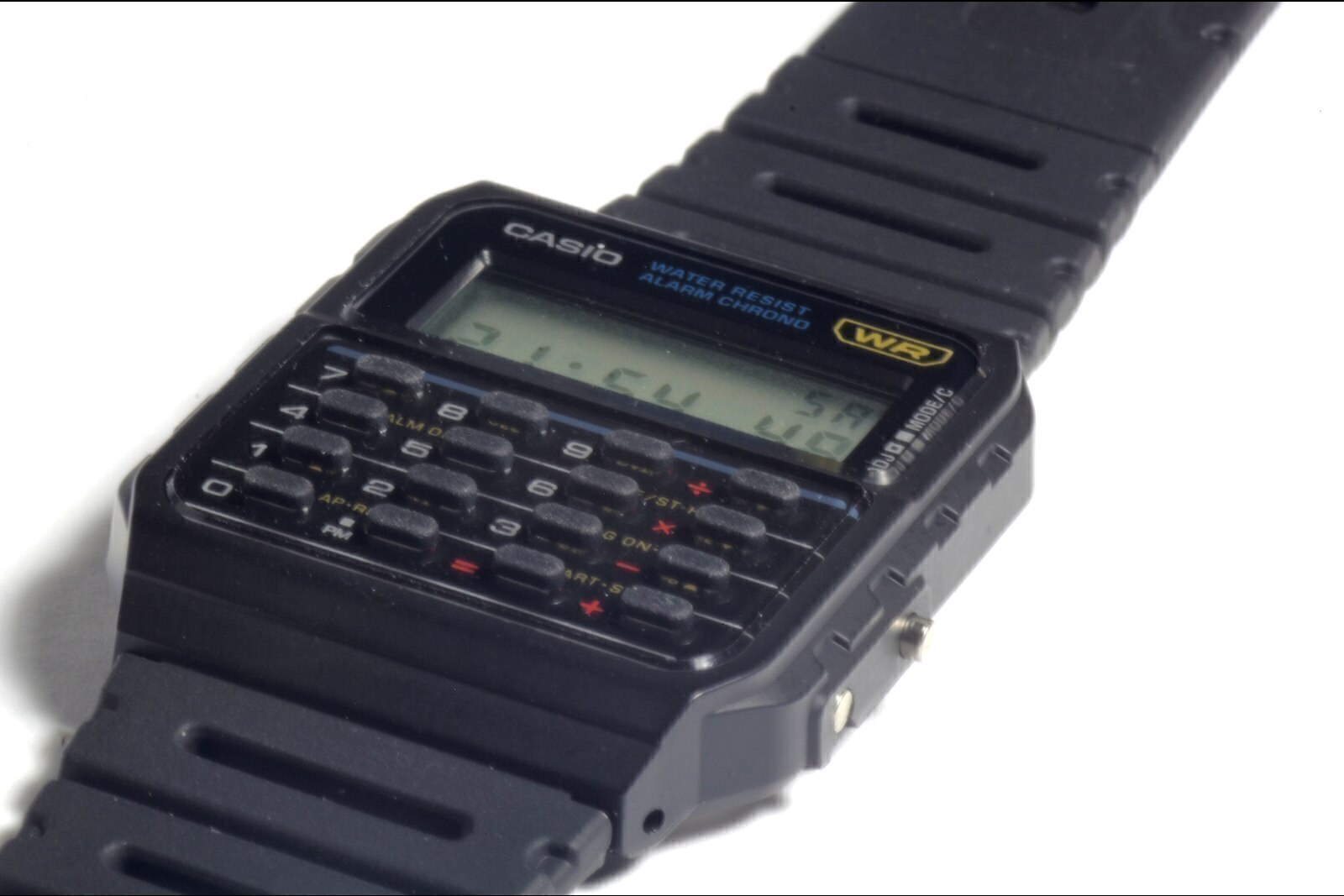
The Casio CA-53W's official instruction booklet is titled Operation Guide 437/438/3208, runs to two pages, and carries the document code MA1002-EA. That title is the first thing to understand about it: one document covers three different modules, and the module in your watch decides which parts of it apply.
This page is about finding the official document, reading it correctly, and knowing what it will and will not tell you. We do not host the PDF. Casio publishes it free of charge and Casio is the only place to get the current version.
Where to get the official manual
Casio keeps a support page for each reference it has sold, with a User's Guide download on it. The CA-53W-1 has one. Casio's manual index can also be searched directly by module number, which is the more reliable route if your watch is an older example or a regional variant.
Two shortcuts to avoid. First, third-party manual archives that host the PDF themselves. The file is copyrighted, the mirrors are not authorised, and a surprising number of them serve a scanned copy of a different module's booklet under a similar filename. Second, search results that offer a "CA-53W manual" for a related model. The CA-500WE, CA-53WF and DBC-611 are all different modules.
Check your module before you read anything
Turn the watch over. The case back carries a four-digit module number, usually in a small rectangle near the model and case codes. That number is what determines which booklet is yours, and it is also the number Casio's index is organised around.
What the guide actually covers
For module 3208, the document covers seven areas. Knowing the structure saves you reading it twice:
- Reading the display. Which segment does what, the day indicator, and the AM/PM marker on the 12-hour format.
- Calculator operation. Entering a calculation, the arithmetic and memory keys, the constant-calculation behaviour, and the error state when a result exceeds the display.
- Stopwatch. Start, stop, split and two-finish timing, with the resolution the module supports.
- Daily alarm. Setting the alarm time and turning it on or off, plus the hourly time signal.
- Dual time. A second time zone, independent of the main time.
- Time and calendar. Setting hours, minutes, month, day and year, and the 12/24-hour format.
- Specifications. Battery type and life, accuracy, operating temperature, and the module's functional limits — in this family, error and overflow behaviour.
What it does not cover: battery replacement as a procedure, first-release dates, or what any of the model suffixes mean. Those gaps are consistent across Casio's watch documentation for this era, and they are why our manuals guide spends its time on module identification instead.
The three numbers in the manual that trip people up
The battery
Modules 437 and 3208 take a CR2016, with Casio quoting approximately five years. Module 438 takes a CR1616, with approximately three. If you buy a CR2016 for a 438 because a forum post told you the battery was the same across the family, you will have the wrong cell.
Accuracy
The guide states ±15 seconds per month for this family. That is a quartz tolerance figure under normal conditions, not a guarantee — and it is tighter than the ±30 seconds quoted for several other Casio calculator references, which is worth knowing if you are comparing models on specification rather than looks.
The calendar range
Module 3208 carries an auto-calendar to 2099. Modules 437 and 438 stop at 2079. If you own an older example and wonder why the year behaves oddly, that is why.
Calculator behaviour the manual documents
Three behaviours are worth pulling out of the guide because they surprise new owners:
- Error state. When a result exceeds the display capacity, the module shows an error indicator and refuses to display a truncated answer. The guide states the digit limits, and they differ between positive and negative results.
- Constant calculation. Entering an operation and then pressing equals repeatedly repeats the operation on the running result. This is documented behaviour, not a fault.
- Key overloading. The number keys double as stopwatch and alarm controls depending on the mode. The guide's mode diagram is the part to read twice, because pressing a key in the wrong mode does something rather than nothing.
The same subject in more depth, including the percentage and square-root keys, is covered in our calculator keypad guide.
If your watch is a different module
The CA-53WF references in current production also use module 3208, so this guide applies unchanged. The CA-500WE uses module 3558 and the DBC-611 uses module 3228, so neither is covered here. The manuals hub lists the modules we have confirmed for each model in this catalogue, and marks the ones we have not.
If the manual has gone missing entirely, nothing is lost: the module number is on the case back and Casio's index will find the document. What you should not do is rely on a scanned copy of unknown provenance from a file-sharing site — that is precisely where modified documents circulate.
Setting the time without the manual
If you need the watch running now and cannot get to the PDF, our time-setting walkthrough covers the procedure the modules in this family use, including the difference between the adjust-and-select button pair and the light button. It is written from the documented behaviour rather than copied from Casio's text, and it tells you which steps vary between modules.
| Module | References it covers | Battery | Calendar | Why it matters |
|---|---|---|---|---|
| 3208 | CA-53W-1, CA-53WF-1B and current colourways | CR2016, approx. 5 years | Auto-calendar 2000–2099 | The module on current production. If you bought the watch in the last two decades, this is almost certainly it. |
| 437 | Older CA-53W examples in the same guide | CR2016, approx. 5 years | Auto-calendar to 2079 | Shares the guide and the cell with 3208, but the calendar stops a decade earlier. |
| 438 | Two-button variant covered by the same document | CR1616, approx. 3 years | Auto-calendar to 2079 | The odd one out. Different cell, different button count — do not buy a CR2016 for a 438 without checking. |
Frequently asked questions
Where can I download the Casio CA-53W manual?
From Casio itself, free of charge. The support product page for the reference has a User's Guide download, and Casio's manual index can also be searched by module number. The document is titled “Operation Guide 437/438/3208” and its document code is MA1002-EA. We link to Casio's support entry point rather than to a copy, because third-party mirrors redistribute the file without permission and are not always the current version.
Which module does my CA-53W use?
Current production uses module 3208. The case back carries a four-digit module number, usually near the model reference. The official guide also covers modules 437 and 438 — the latter with a different battery and fewer buttons — so read the module number rather than assuming.
The manual does not match my watch. What now?
You almost certainly have a different module. Check the four-digit number on the case back and search Casio's manual index for that number instead. Casio's index is organised by module, not by model name, which is why searching for “CA-53W manual” sometimes returns a document that does not describe the watch in your hand.
Does the manual explain how to replace the battery?
Casio's operation guides for this family cover operation and specification, and direct battery replacement to an authorised service centre rather than walking through it. The case back on the CA-53W is a press-fit type that needs a proper press to reseat without damaging the gasket, so this is one to hand to a jeweller or watch repairer rather than do at the kitchen table.
Can I use the CA-500WE manual for a CA-53W?
No. The CA-500WE uses module 3558, which is a different module with a different button layout. The two watches share a case footprint and a calculator function set, not a manual. Use the module number from your own case back.
This article is editorial. Where a figure is given, it comes from the manufacturer’s published documentation and is dated on the page; where we are expressing a judgement, we say so. Something wrong? Tell us.